Practice a real interview, out loud
Set up the interview you are preparing for. Your interviewer asks the questions by voice, you answer out loud, and you get a report afterwards.
Read the transcript
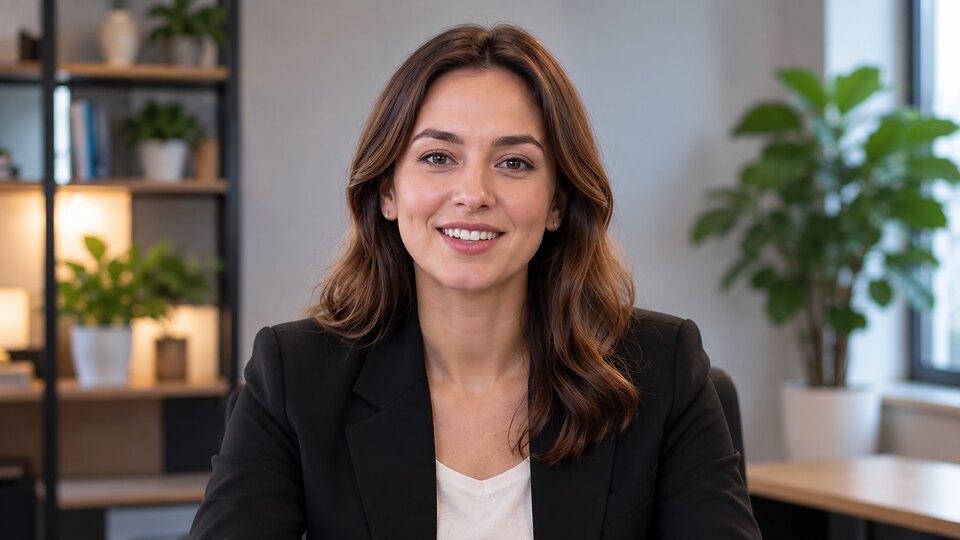
Hi, I'm Sarah. And I'm going to show you how you can practice for your next job interview, just like the real thing.
Before we begin, you can set up your interview right here, exactly the way you want it. Enter the job title, add the job description or upload your CV, and I'll tailor the questions to the role.
You decide how your interview works. Choose between screening, behavioral, technical, HR or final-round interviews. Set the duration to 10, 20 or 30 minutes, and choose how challenging you want me to be.
When you're ready, tap Speak, answer out loud, and hit Send. Take your time. I'll be right here.
Because reading interview questions is one thing. Actually answering them out loud, under pressure, is something completely different.
And that's where you discover what you really need to work on.
So set up your interview above, press Start, and let's get you ready for the real thing.
Hi, I'm Daniel. Let me show you what it's like to practice a job interview with me, out loud, just like the real thing.
First, you set up your interview right here on this page, exactly how you want it. Enter the job title, add the job description or upload your CV, and I'll shape the questions around that role.
You're in control of the format. Pick a screening, behavioral, technical, HR or final-round interview. Go for 10, 20 or 30 minutes, and choose how hard you want me to push.
When it's your turn, tap Speak, give your answer out loud, and hit Send. There's no clock on your thinking. I'll wait.
Knowing the answer is one thing. Explaining it clearly, out loud, while someone is listening, is a different skill.
And that's exactly the skill we'll practice here.
Whenever you're ready, enter your job title, press Start, and I'll see you in the interview.
A spoken interview in four steps
It works like a video call with a recruiter or hiring manager, in your browser. There is nothing to install.
Set up the interview
Enter the job title, then choose the type of interview, the level, the length and your interviewer. Add the job description or your CV if you want questions closer to the role.
Check your microphone
Before the call you test your microphone and speaker. The call starts only when you join it.
Answer out loud
The interviewer greets you, asks one question at a time and follows up on what you say. Tap Speak to answer and Send when you are done.
Get your feedback
After the call you get an overall score with what went well and what to improve, so you know what to work on before the real interview.
Practice the interview you are actually facing
Each type asks different questions, as each stage of a real hiring process does. Choose one, then set the level from graduate to lead.
Screening call
A first call with a recruiter: your background, motivation, salary and notice period.
Behavioral
"Tell me about a time when" questions, with follow-ups on what you did and what happened.
Technical
Concepts and problem solving for the role, explained out loud, with questions on trade-offs.
HR / culture fit
Values, teamwork, conflict, working style and career goals.
Final round
A mix of all of the above, with a firmer tone and harder follow-ups.
Your interviewer's style
Friendly: warm and encouraging. Gives a hint when you are stuck. Professional: neutral and polite, like most real interviewers. Challenging: pushes back and asks hard follow-ups. Never rude.
Live interview FAQ
What is a live mock interview?
A practice interview held by voice. An AI interviewer asks questions for the role you enter, listens to your answers and asks follow-up questions, as a real interviewer would. You answer out loud instead of typing.
How do I answer a question?
Tap Speak, give your answer, then tap Send. On a keyboard, press Space to start and again to send. The interviewer waits until you send, so you can take as long as you need to think. If you want to start an answer again, discard it and speak again.
Do I need a camera?
No. You only need a microphone. You can turn on your camera to see yourself, as on a video call, but the video is never sent to the interviewer.
How long does an interview take?
Quick is about 10 minutes with 5 to 6 main questions, Standard is about 20 minutes with 10 to 12 main questions, Full is about 30 minutes with 14 to 16 main questions. The interviewer paces the questions to the time you choose.
Can the interview use my CV or a job description?
Yes, both are optional. Paste a job description of up to 5,000 characters, and the questions follow it. When signed in, you can add your CV as a PDF or Word file (up to 2 MB) or paste it as text. Interviewplus keeps a short summary of your CV on your account, not the file, and you can remove it at any time.
Does my accent or grammar matter?
No. The interviewer does not judge your accent or grammar. If a question is unclear, ask the interviewer to repeat it or to say it more simply.
What happens if my connection drops or I reload the page?
The interview ends, and you get feedback on the answers you gave up to that point. Everything you said is saved. Each interview is one attempt: once it starts, it cannot be paused, restarted or rejoined. If the call fails before the interviewer greets you, you can try again. If the connection drops in the first 5 minutes, before you have answered two questions, the live interview is returned to your account.
How much does it cost?
Signed-in users can try a free 60-second preview with one question. A full live interview costs $5.99 for 10 minutes, $7.99 for 20 minutes or $9.99 for 30 minutes, paid once, with no expiry. Plans also include live interviews, along with text interviews and the full question library. A live interview is used once the interviewer starts speaking, so a call that fails to connect does not use one.
Which languages are supported?
You can hold a live interview in English, French, Spanish, German, Portuguese, Italian, Dutch, Japanese, Chinese (Mandarin), Korean or Hindi. Choose the language when you set up the interview. Each language has its own two interviewers, for example Sarah and Daniel in English or Camille and Julien in French. The interviewer speaks the language for the whole call, and the feedback report is written in it.
How is this different from a text mock interview?
In a text mock interview you type each answer and get a score with written feedback on it. A live interview is a spoken conversation, closer to a real phone or video interview, with follow-up questions based on what you say.